

Unique Customer CLABE
As a merchant, it is possible to assign a unique CLABE for a customer to make transfers to you.
Instructions
-
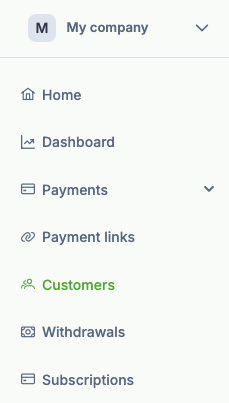
Log in and go to Customers section on the sidepanel.
-
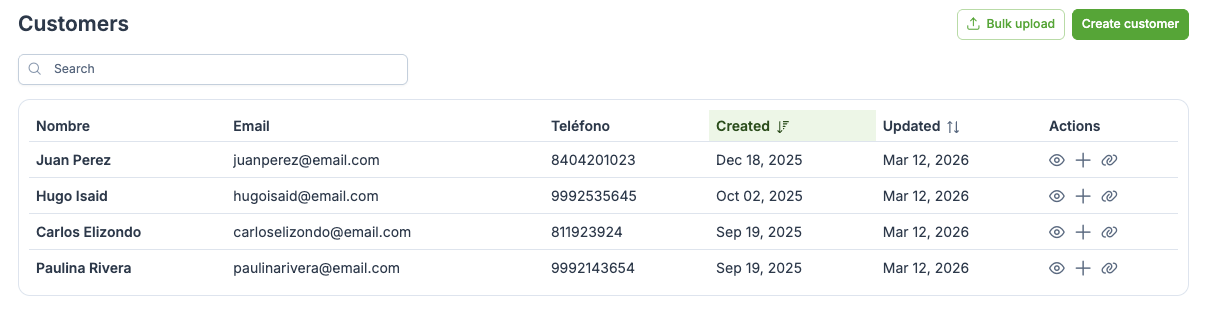
Select a customer from the list.
-
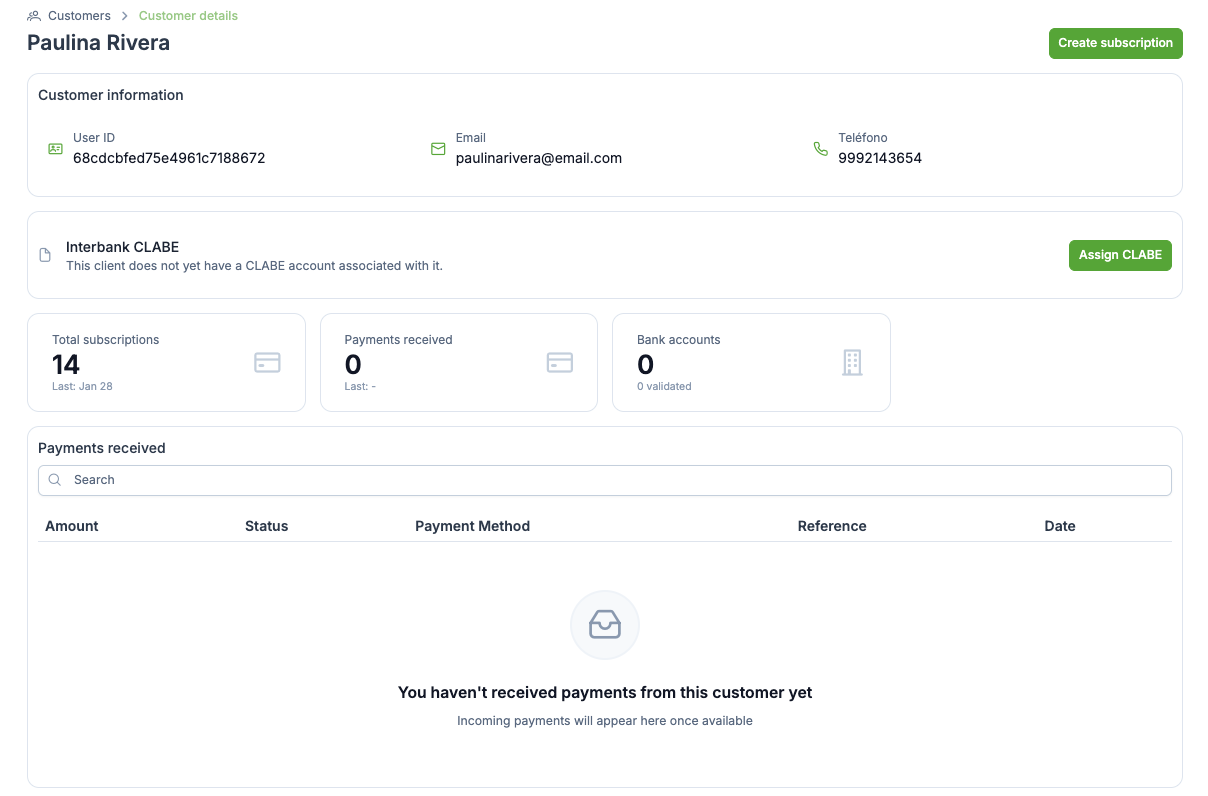
Inside the customer details panel, select Assign CLABE
-
A unique CLABE will be assigned to the customer.
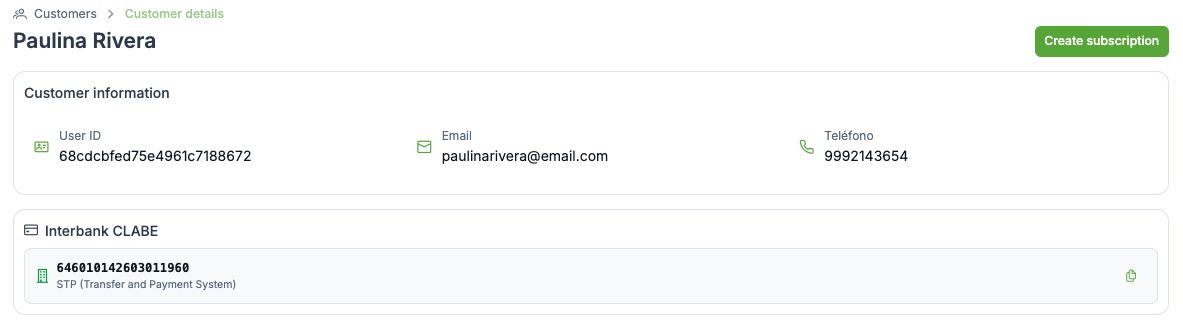
Customers can use the assigned CLABE to make payments to a merchant. This payments will appear in the Payments received section in the Customer details.
Updated 6 months ago
Did this page help you?